
Reviews
Puck Strike 3D captures the essence of table hockey with a polished digital presentation. The physics feel right, with the puck sliding naturally and bouncing off walls at believable angles. The AI opponents scale well, providing a fair challenge for newcomers while still testing experienced players. The touch and mouse controls are equally responsive, making the game enjoyable on any device. It is a solid, no-fuss arcade sports game that respects your time and offers genuine fun in short bursts.
About this game
Core Gameplay Loop
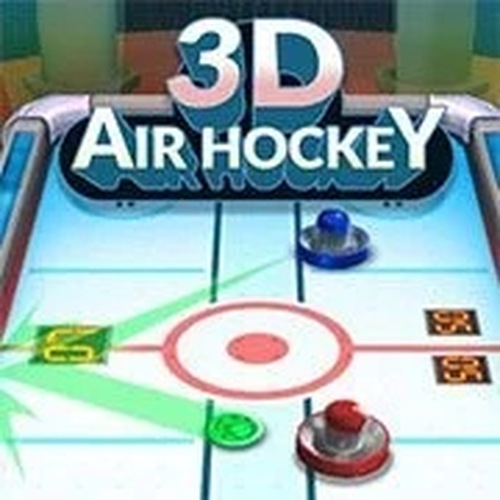
At its heart, Puck Strike 3D is a test of reflexes and precision. Players control a rectangular paddle on their side of a brightly lit table. The objective is simple: strike a small disc, the puck, past the opponent's paddle and into their goal. The game starts with a central face-off, and a well-timed hit sends the puck sliding across the smooth surface. Each successful goal adds a point to your score, and the first player to reach the set target wins the match. The controls are responsive, allowing for quick directional changes and precise shot placement.
Physics and Table Feel
The game simulates the low-friction environment of a real table hockey table. The puck glides with realistic momentum, slowing gradually due to virtual friction. When the puck hits the side walls, it bounces off at a predictable angle, adding a layer of strategy to your shots. Collisions between the puck and the paddles are handled with care, meaning the angle of your paddle at the moment of contact influences the puck's trajectory. This system rewards players who learn to position their paddle not just to block, but to redirect the puck toward the opponent's goal.
Visual and Audio Atmosphere
Puck Strike 3D presents the game table with a polished three-dimensional view. The playing surface is rendered with a glossy finish, and the paddles and puck have a clean, modern look. Subtle lighting effects give the scene depth, making the action easy to follow. The audio complements the visual experience with a background music track that maintains an energetic pace. Sound effects for puck strikes and goals provide clear feedback, helping you stay immersed in the match without being distracting.
Difficulty and Progression
Before each match, you can select from several AI difficulty settings. A lower difficulty opponent moves more slowly and reacts with less precision, which is ideal for learning the controls or warming up. Higher difficulty settings present a much faster and more accurate adversary, requiring sharper reflexes and better anticipation. This range allows players of different skill levels to find a comfortable challenge. There is no persistent progression system; each match is a self-contained contest, making it easy to jump in for a few minutes of play.
Accessibility and Platform
Built with HTML5 technology, Puck Strike 3D runs directly in a web browser without any downloads or installations. The game is designed to work on both desktop computers and mobile devices. On a desktop, you use the mouse to move your paddle. On a touchscreen device, you drag your finger across the screen to control the paddle's position. The interface adapts to different screen sizes, ensuring the game remains playable on phones, tablets, and laptops alike. This cross-platform compatibility makes it a convenient option for quick gaming sessions anywhere.


Comments
Sign in to leave a review
No account? Create one
No comments yet.