
Reviews
Number Burst Learning Activity targets a narrow but useful goal: giving children repeated addition and subtraction practice without time limits or penalties. The drifting-bubble format and gentle correct-answer sounds provide clear feedback, while the browser-based design removes setup barriers for parents and teachers. Its main limitation is scope—it covers basic arithmetic only, so older or advanced learners will outgrow it quickly. Best for early elementary practice at home or in class.
About this game
How a Round Unfolds
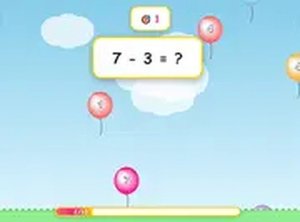
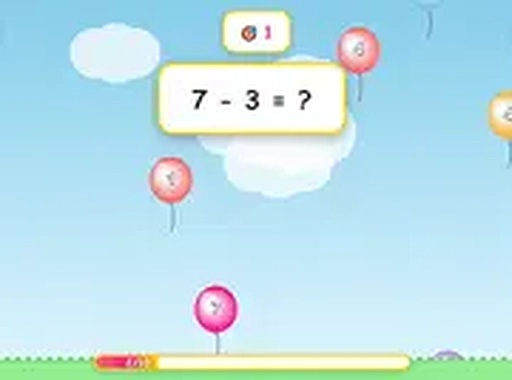
Every round begins with a math problem displayed alongside a small group of colorful bubbles drifting upward. One bubble carries the correct numerical answer. The child taps or clicks that bubble to earn points. An incorrect choice does not end the round or subtract points; the game simply moves on to the next problem. That no-penalty design keeps the focus on repeated practice rather than punishment, and fresh problems appear after each selection to sustain attention.
Visual and Audio Feedback
The interface uses bright, friendly colors and simple bubble shapes sized for young learners. Gentle sound effects play when a correct answer is selected, giving positive feedback without becoming distracting. The layout avoids clutter, so the math problem and the answer choices remain the visual focus. This clean presentation helps children concentrate on the task at hand.
Difficulty Progression and Pace
Problems start with basic addition and subtraction, then gradually introduce more challenging combinations as the player continues. There is no time limit, so each child can work at a comfortable speed. That structure supports skill development without causing frustration, making the activity suitable for beginners and for children who need extra practice with foundational math facts.
Playing Without Setup
Number Burst Learning Activity runs entirely in a web browser. There is no software to install and no account to create. It works on desktop computers, laptops, tablets, and smartphones, so children can practice at home, during travel, or in a classroom. The touch-friendly interface means even very young players can participate with minimal assistance.
Independent Play and Scoring
The controls and visual cues are simple enough that children can start without reading lengthy instructions. A parent or teacher can briefly explain the goal, then let the child explore independently. The scoring system provides a simple incentive to improve, while the non-competitive format keeps the experience low-pressure and enjoyable.
Compatibility
FAQ
Comments
Sign in to leave a review
No comments yet.

Editorial Notes